Project Info
VibeCodr: A Dashboard for Running Claude Code from Anywhere
Here is the workflow that broke me. Five projects open. Each one a terminal tab with a name like "bash" or "node" or whatever the OS decided to call it. Claude running in some of them, a shell in others. You switch away to do something, come back ten minutes later, and now you are clicking through every tab trying to remember which one had the thing you were working on. Was Claude done or is it still going? You check. It finished eight minutes ago and has been sitting there waiting.
That is before you factor in the remote access problem. I do not carry my development environment with me. One machine, everything lives there. But if I am somewhere else and want to keep working, suddenly I am rebuilding .env files from memory, re-entering API keys, trying to remember what version of something I was using. That is not a technical problem, it is just punishment.
VibeCodr is what I built to stop doing that.
What it is
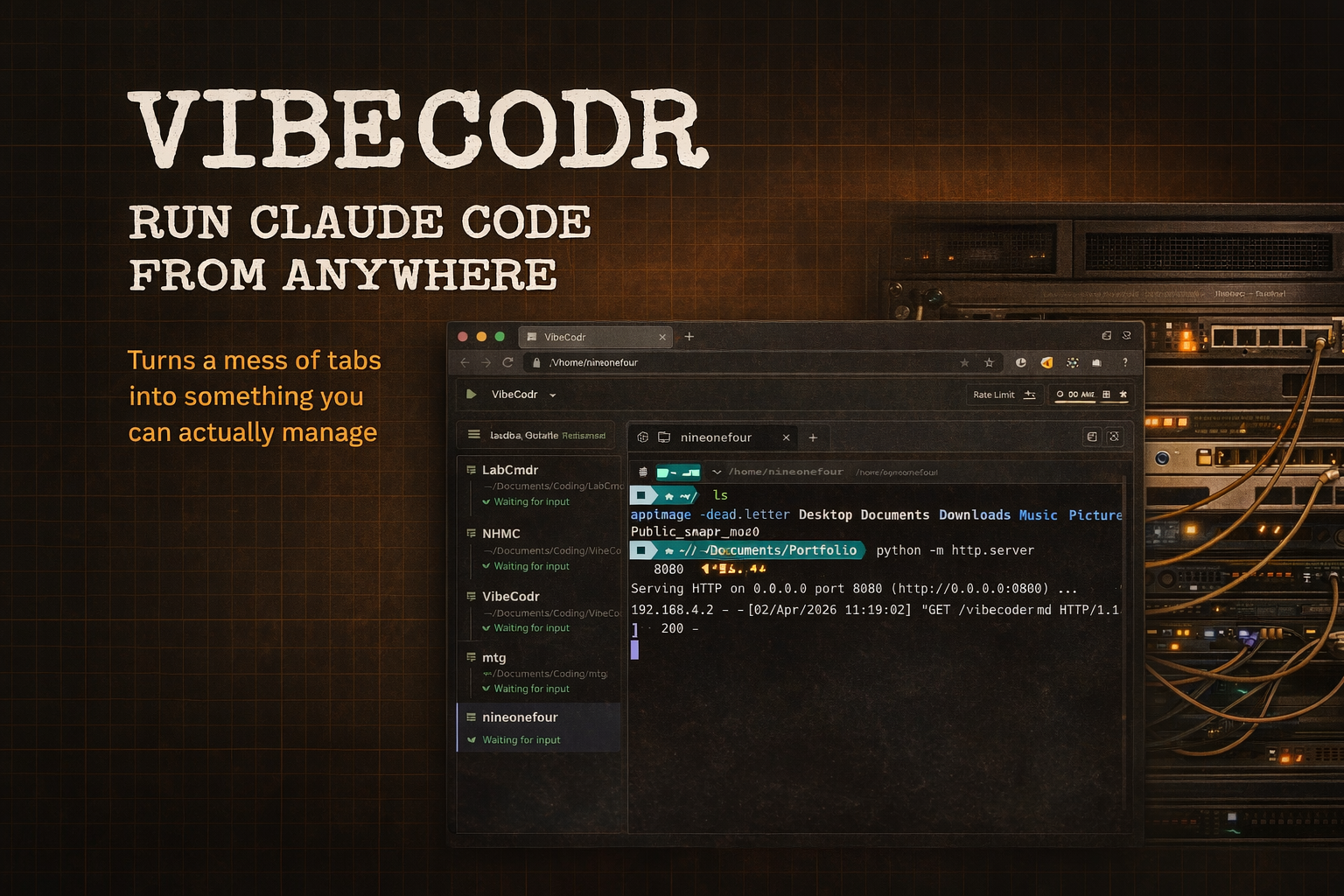
A browser-based dashboard that runs on one machine and gives you access to all your Claude Code and terminal sessions from anywhere on your network or VPN. You open a browser, your sessions are there, Claude is running, and you can see at a glance what is active and what is waiting on you.
I am a vibe coder. I can read code, understand what it does, reason about it. Writing it from scratch is harder for me, which is why I am running Claude Code constantly across several projects at once. That workflow only works if you can actually manage the sessions. This is that tool.
How it works
The server spawns real terminal processes using node-pty, which creates a proper pseudoterminal on your machine. Each session runs either the Claude Code CLI or a plain shell, in whatever project directory you point it at. Output streams to your browser in real time over WebSockets, rendered by xterm.js as a full terminal window.
Browser (xterm.js)
    ↕  WebSocket (Socket.io)
Node.js server
    ↕  node-pty
Real terminal process (claude or bash)
    → runs in your project directory
The sidebar shows all your active sessions with a live preview of the last output line. Status flips between "working" and "waiting" based on a simple rule: if nothing has printed in 800 milliseconds, Claude is probably waiting on you. That one thing, knowing whose turn it is, is the part that makes context switching across multiple projects actually manageable.
Two decisions worth explaining
No environment to rebuild. The whole architecture follows from one decision: one machine runs everything, and you access it remotely. No syncing secrets across devices, no duplicate setups, no drift. You open a browser and your environment is exactly where you left it.
The rate limit panel. When Claude Code is your primary tool across multiple active projects, hitting a rate limit mid-session is a real problem. The usage panel shows how close you are across Anthropic's time windows. The only way to get that data is to make an actual API call and read the response headers, so the dashboard makes a minimal call to Haiku (effectively free, roughly $0.00001) just to extract it. Anthropic does not expose this more cleanly. I reverse-engineered it because not having it was worse.
The project wizard
When you start something new, the wizard creates a folder and uses Claude to generate PROJECT_PLAN.md, TECH_STACK.md, CLAUDE.md, and a sensible .gitignore. It does this using the OAuth token that Claude Code already stored on your machine, so there is nothing extra to configure.
What it looks like in practice
I open it first thing. If I have three things running, I can see all three, see where Claude is at in each one, and pick up whatever is waiting. When I step away and come back from a different machine, I open a browser tab and everything is exactly where I left it.
I built this for myself. I shared it because the problem it solves, too many sessions, too much context switching, no visibility into what is actually ready, is not mine alone. If you run multiple projects at the same time and spend more effort finding the right terminal than doing actual work, this was built for your workflow too.